
Localhost King
Find the project behind a port, see what’s running, and reclaim space from build caches. Use the Mac app for free, with unlimited projects and no usage caps.
macOS 14.4 or later · No account required
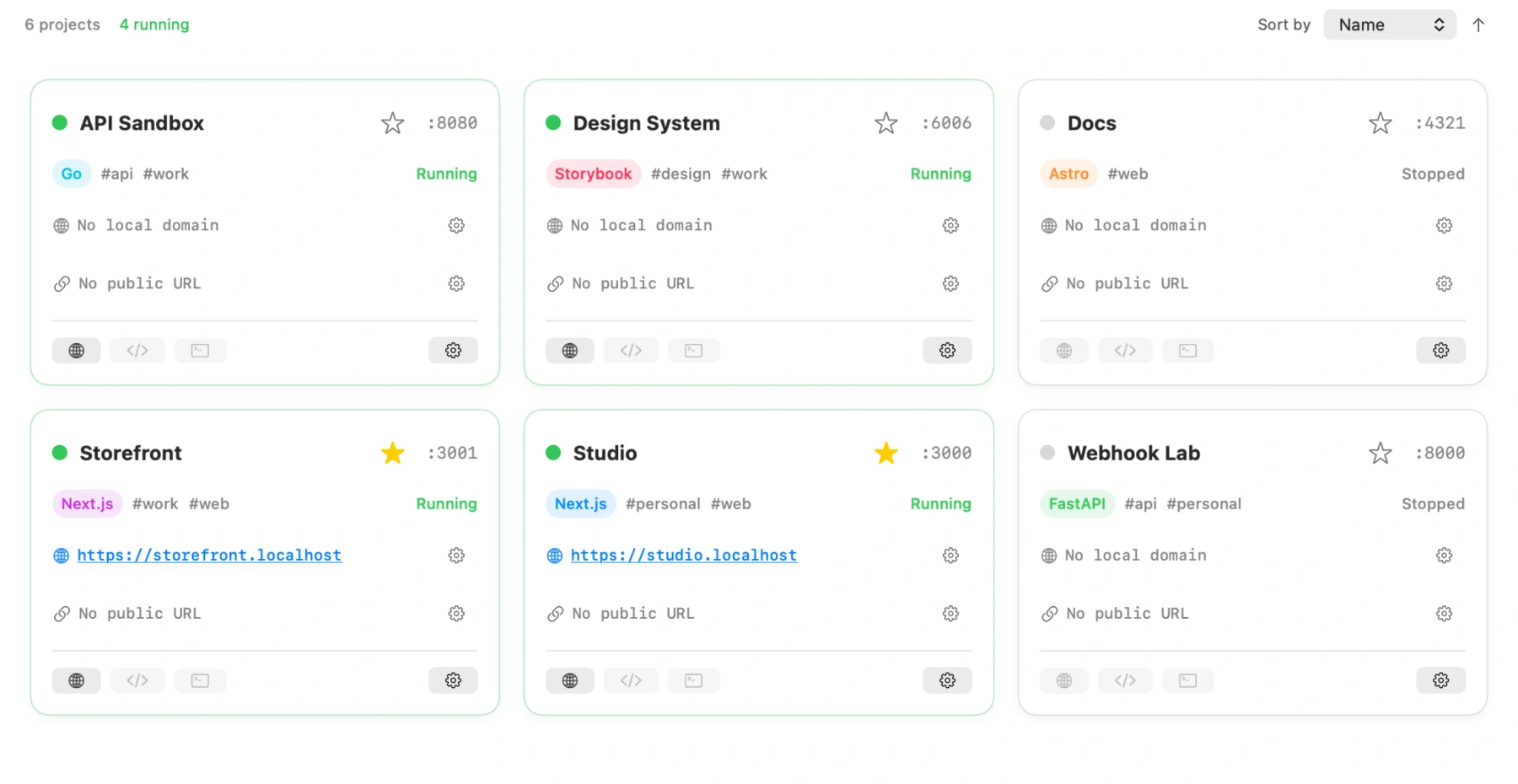
Which project is on that port?
Discover local projects, save their folders and port assignments, and see which processes are listening. Open the right project straight from the registry.
Give a local app a URL.
Route a local hostname to your development server with HTTPS. When someone else needs to try it, share it through a Cloudflare tunnel.
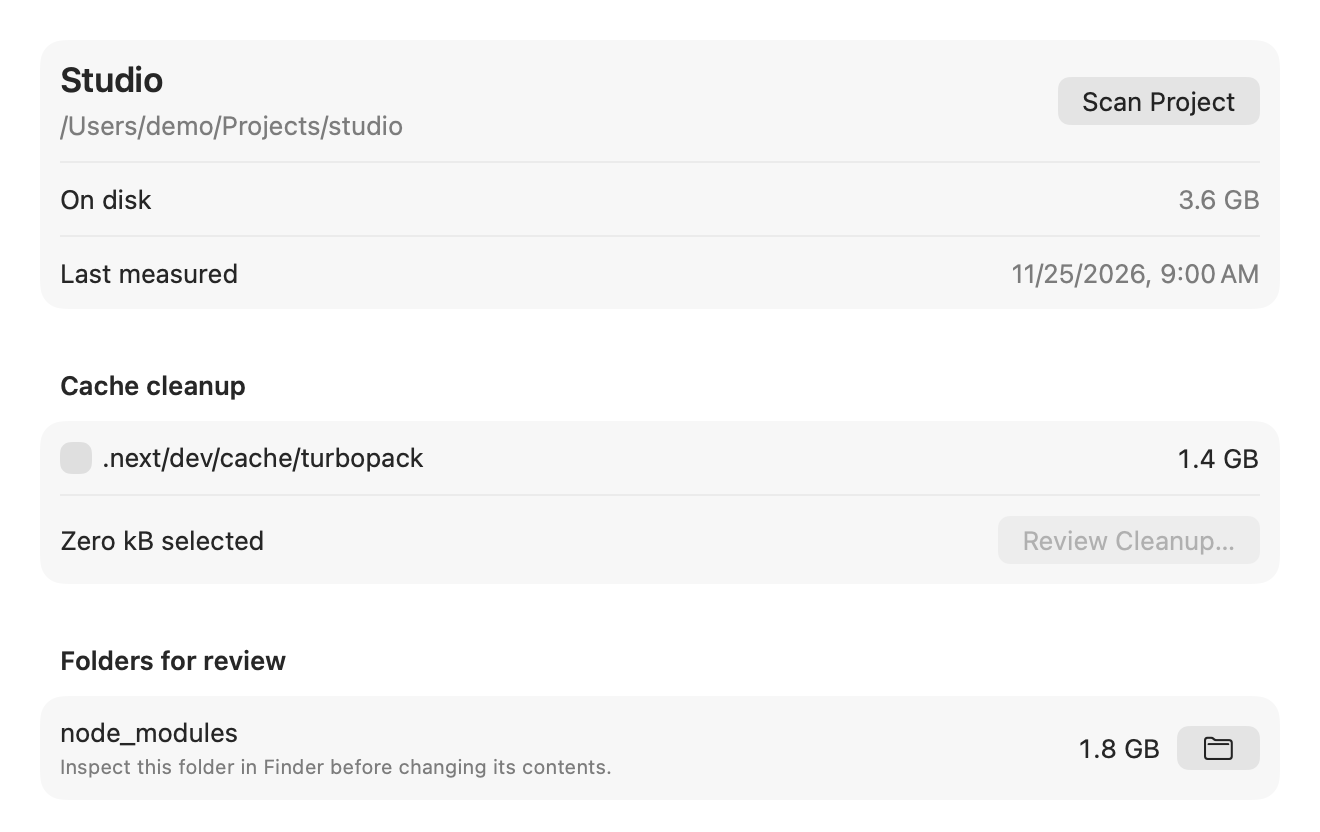
See where the gigabytes went.
Storage separates build caches, installed dependencies and build outputs. Review the size and path of an eligible cache before moving it to Trash. Dependencies and build outputs stay available for inspection.
Read the Storage guide
Project tracking, port assignments, Storage and local networking are free, with no limits. If Localhost King saves you time, you can support its development with a one-time purchase.
- A Supporter crown in the app and an optional gold-on-aubergine Dock icon.
- The Swift source ZIP for both Mac editions, including tests and build scripts.
- A customization guide to help you build and change your own copy.
Start with a working app and spend your AI tokens on the changes you want. The source includes the Apache 2.0 license.